Card Timeline+ user guide
Card Timeline+ is a Trello Power-Up that tracks how cards move through your lists.
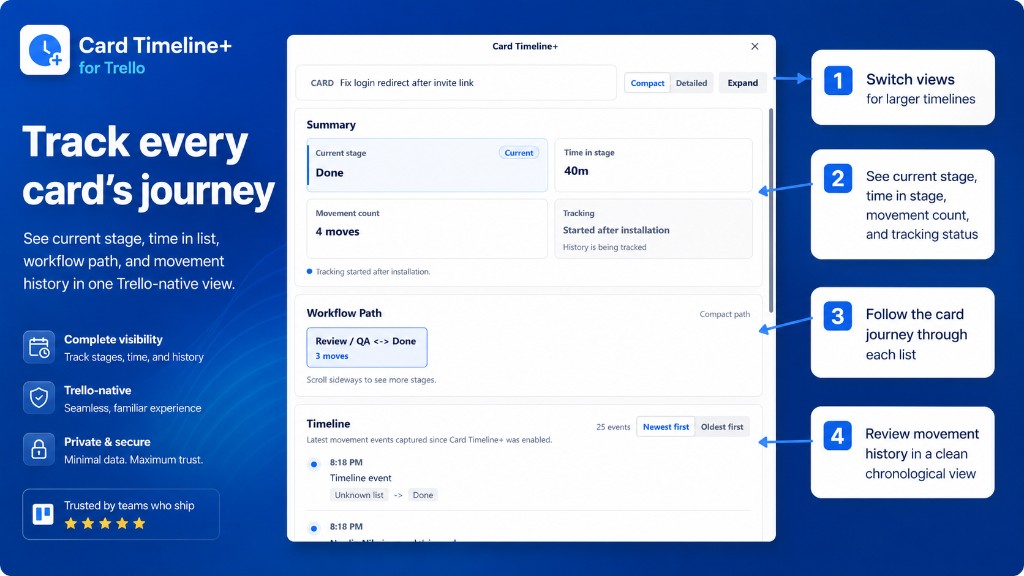
Open any card to see:
- Where it is now
- How long it has been there
- The path it took across lists
- Every list move since tracking started
What you can do
| Feature | What it does |
|---|---|
| Timeline modal | Full card journey in one view |
| Summary | Current list, time in stage, move count |
| Workflow path | Visual route through lists |
| Movement history | Chronological list changes |
| Card badges | Time in stage or move count on the card front |
| Stage warnings | Highlight cards stuck too long |
| Export | Send timeline data to Board Export+ |
Quick start
Good to know
- History starts after Card Timeline+ is enabled on the board — earlier moves are not backfilled.
- Tracking is per card, not a full board analytics dashboard.
- Card Timeline+ is free — no payment or subscription required.
- Card Timeline+ runs inside Trello. No separate login.
Questions? See the FAQ or email support@nikaj.dev.