 Card Timeline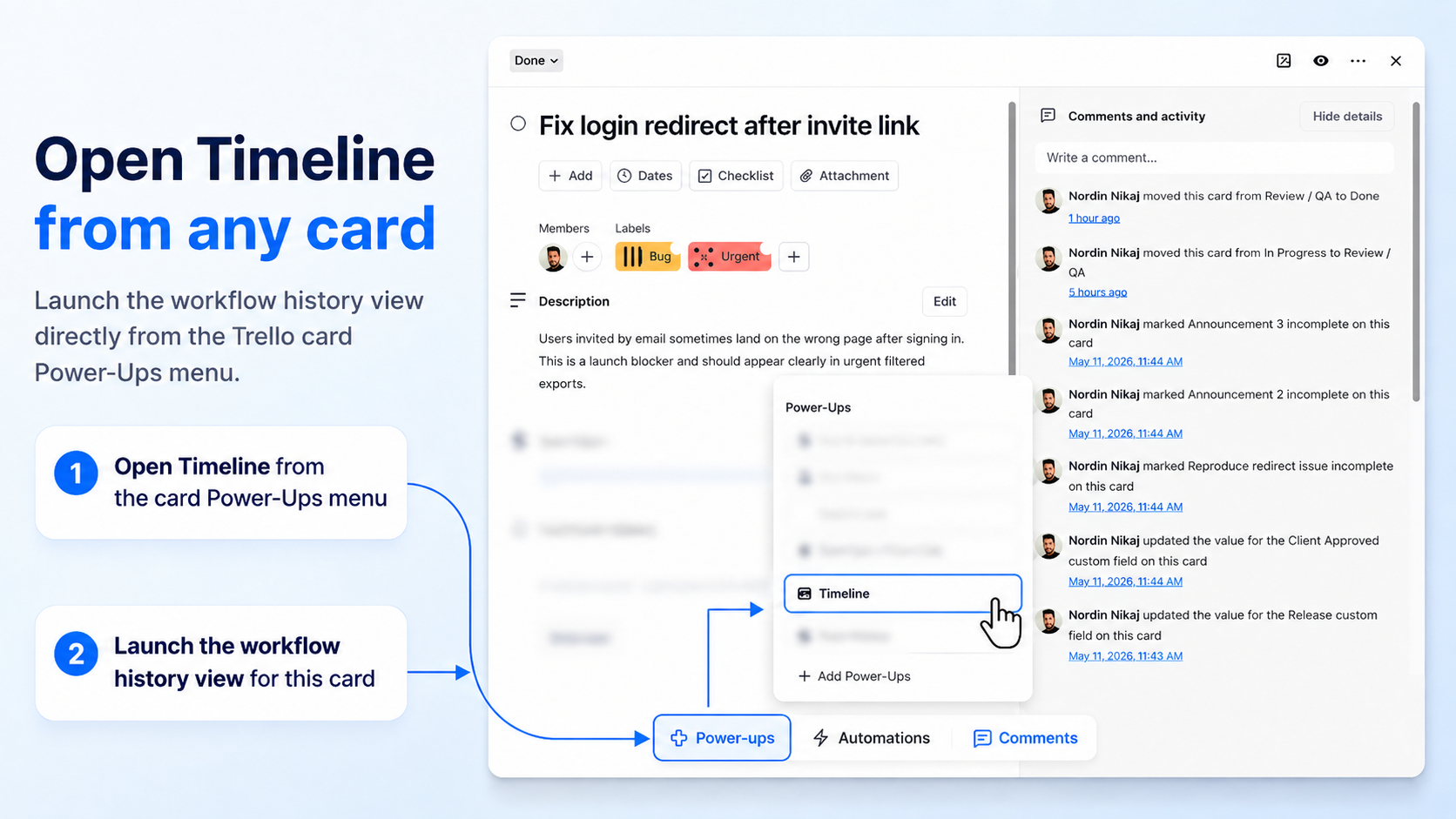
01 / Card history
How to See a Trello Card’s Movement History
The current list tells you where a card is. Its movement history helps you understand how it got there—and what happened along the way.
Read the guide →Learn by doing
Three practical guides to a card’s journey, its waiting time, and the work that may need attention. Follow the steps with screenshots from the Card Timeline+ user guide.
01 / Card history
The current list tells you where a card is. Its movement history helps you understand how it got there—and what happened along the way.
Read the guide →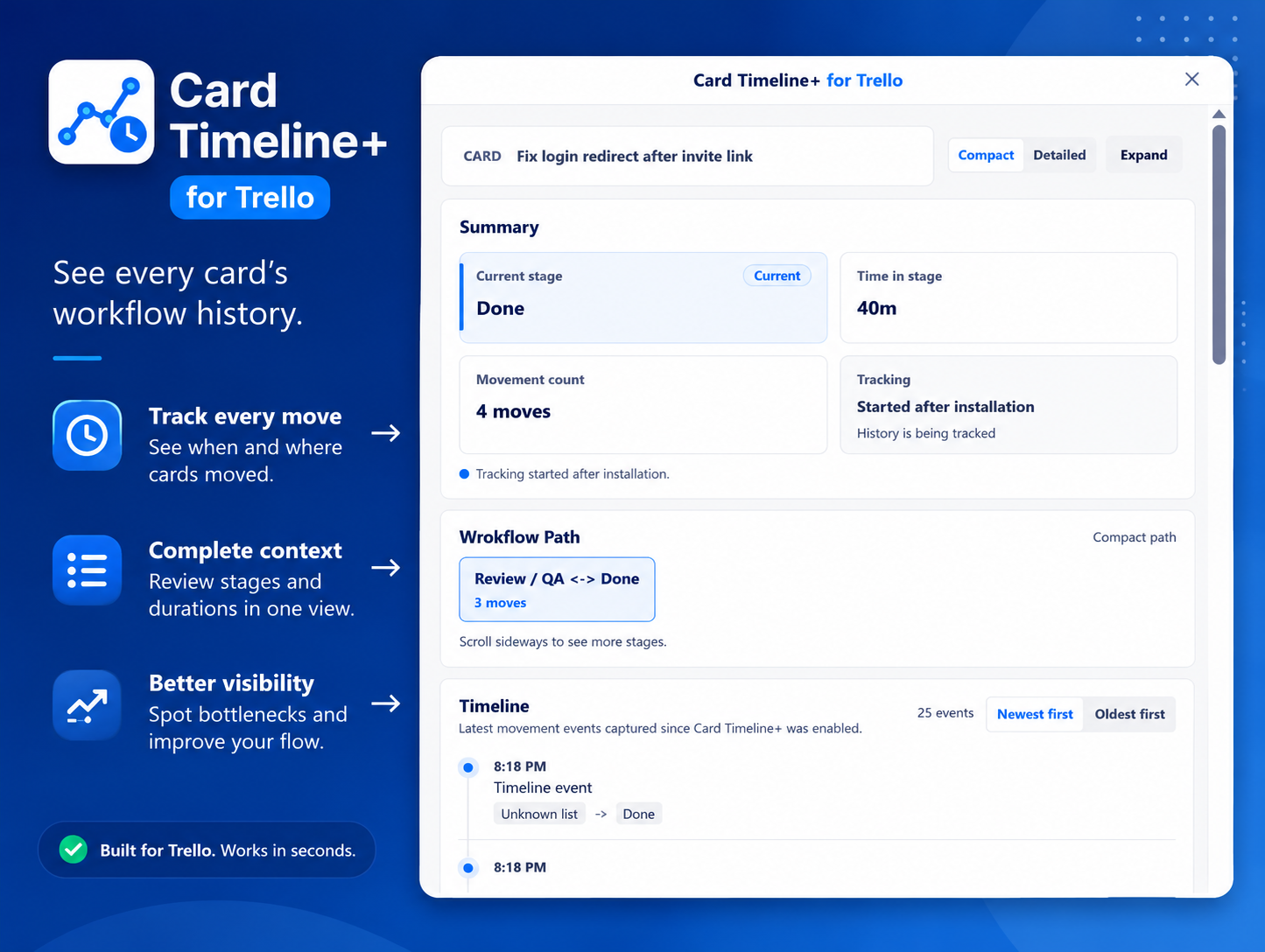
02 / Time in list
See how long a card has been waiting in its current stage, then bring that context onto the board with time-in-stage badges.
Read the guide →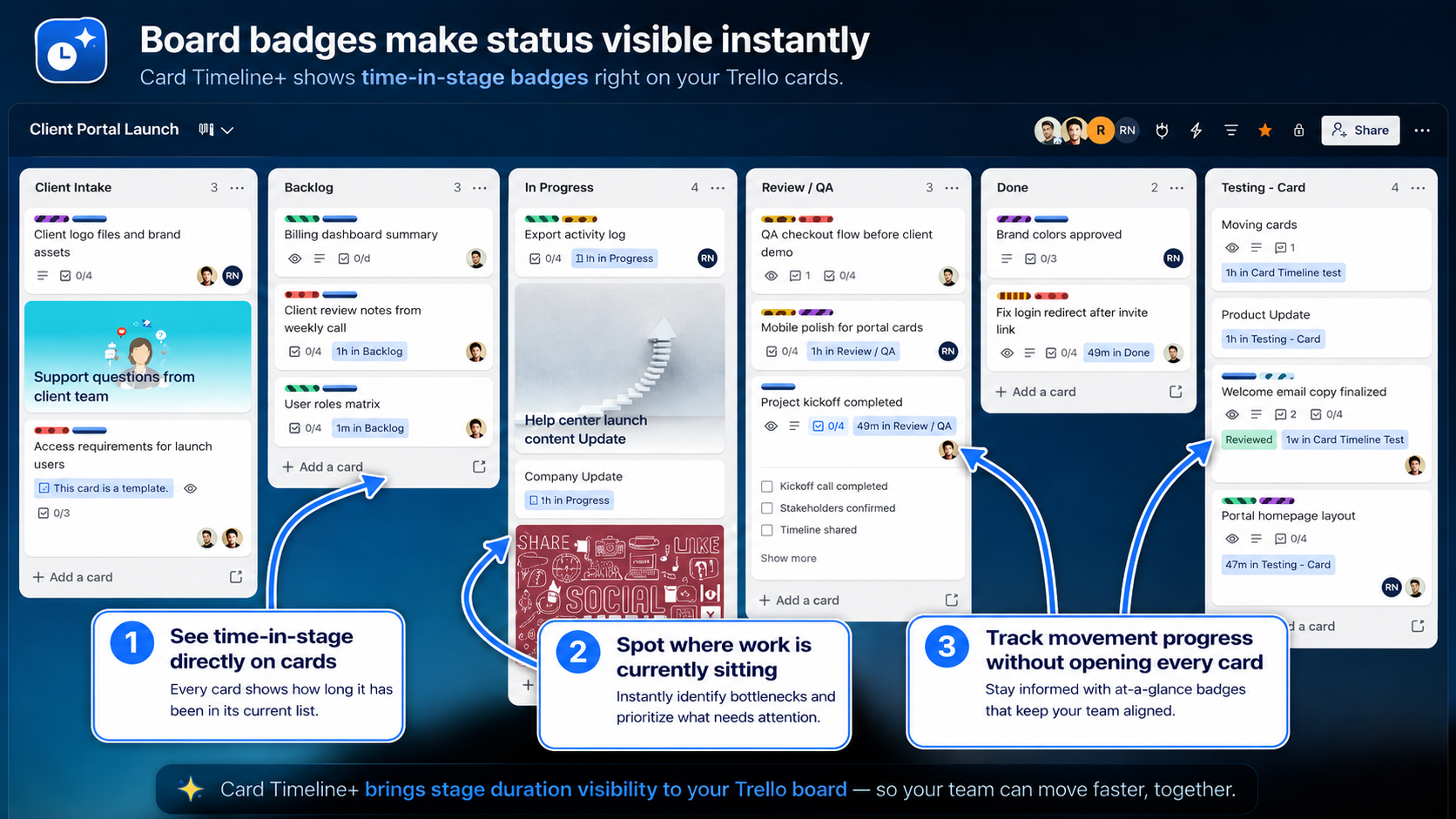
03 / Stalled cards
Spot waiting work on the board, check the card’s history, and decide on a useful next step with your team.
Read the guide →Start with installation, then follow a card with recorded list moves. Tracking begins after enablement; earlier moves are not imported. These guides explain individual cards, not board-wide team-performance statistics.