Open Timeline on a card
Open Timeline from any card. Launch the workflow history view directly from the Trello card Power-Ups menu.
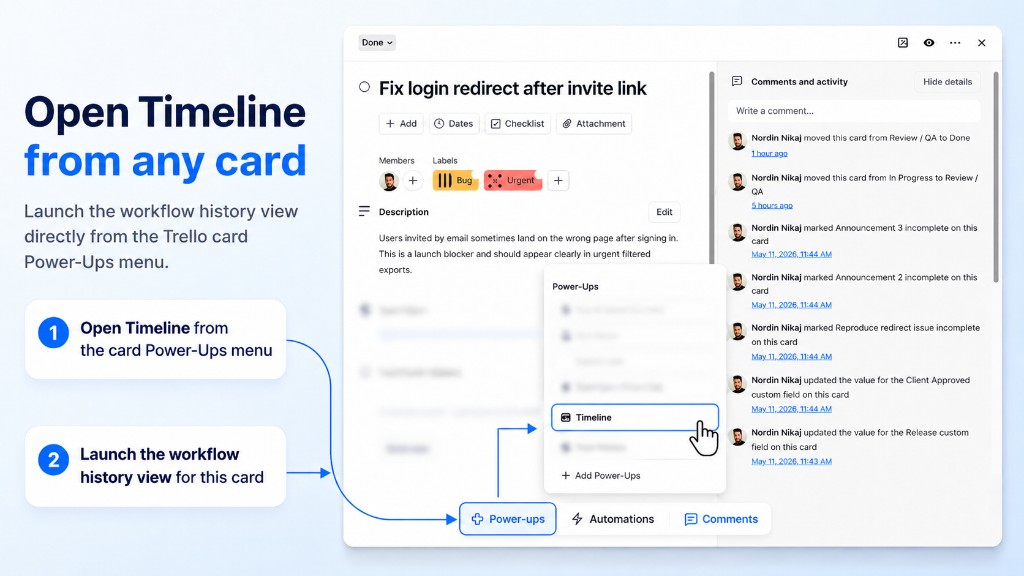
From Power-Ups
- Open a card.
- Click Power-Ups at the bottom of the card back.
- Select Timeline.
From the card button (fastest)
- Open a card.
- Click Timeline in the card header actions.
First open
If the card has not moved since install, the timeline may be empty. Move the card to another list — the first event appears right away.
Next: read the timeline modal.